For modders
A settings menu for your mod
The settings menu our Railroader mods use, free for yours. One file you drop into your project. Nothing for players to install.
What it is
A settings editor in the game's Preferences window, under one Mods tab. Every mod that carries the file shares that tab.
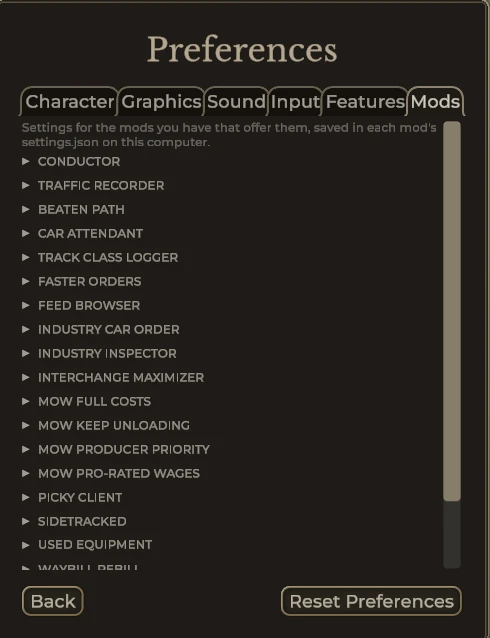
Each setting gets a row: a toggle, a dropdown, a number with - and + kept inside its range, a slider with a label at each end, or a color from the game's own color picker. The default sits beside it, and your help text is in the tooltip. Long labels wrap to a second line. Settings your mod only reads at load are tagged "after restart."
A slider saves exactly what a number row with the same key would, so a field can switch between the two without changing anyone's settings.json.
Rows can do more when you ask: a number's limits can follow other settings, a number or slider can show a live label (a length in metres, say), a row can show only while another setting is on, and small headings can split a long section.
Saving writes your mod's settings.json safely and keeps every key that isn't one of its fields.
Use it
- Copy
SettingsSection.csinto your project. Change only its namespace line,namespace SETTINGS_NAMESPACE, to yours. Keep the rest exactly as it is. - Reference the game's
Railroader.dll,Newtonsoft.Json.dll,Unity.TextMeshPro.dll,UnityEngine.dll,UnityEngine.CoreModule.dll,UnityEngine.UI.dllandUnityEngine.TextRenderingModule.dll, all inRailroader_Data/Managed, plus Harmony (0Harmony). - When your mod loads, build the section and add it to the tab. When it unloads, remove it.
The README has a short C# example that builds against the real game.
Sharing the tab
Copies from different authors and different revisions share the one Mods tab through a small frozen contract, written at the top of PreferencesModsTab in the file. The tab draws each mod's section in turn, each in its own try.
The newest revision present draws the tab. From Revision 10 that means the mods are sorted A to Z, with a search box at the top that finds a mod by name, or a setting by its label in mods that carry Revision 10. Older revisions keep working beside it, and nothing forces anyone to update. If you change the file, keep that contract exactly. The README spells it out.
Logs
Error text the file logs or shows is cleaned first, so a player's account name and home folder never reach Player.log or the screen. The path from the game's Railroader folder on is kept, for bug reports.
A mod with no settings can use PathClean.cs on its own for its logs. SettingsSection.cs already includes it, so don't add both.